Teaching in a technology rich environment affords you the opportunity to use many online resources. I have learned from experience that students struggle to type in web addresses correctly. I found myself walking around and typing in the same address numerous times. What if you are a teacher who has checked out the iPad cart and you need your students to complete a series of tasks that require them to go to several different websites? What if you are in a "Bring Your Own Device" (BYOD) and you want students to quickly get to a location on those devices? I have the answer for you! QR codes will solve your problems. QR stands for quick response and these little scan codes are easy to create. There are tons of ways to use QR Codes in the classroom but first lets see how easy they are to create.
Thursday, August 31, 2017
Saturday, August 26, 2017
Five Things for this School Year
I was inspired by Kristy, @LoudenClearBlog, to reflect on last school year and think about what I'd like to focus on this year for 2017-2018. I've had a very restful summer. I chose to focus on family and professional growth this summer. I've since gone back to school and we just ended week 4 of 36. Although I had a hard time narrowing my list down to 5, I think I have it squared away and I'm ready to apply my list for a productive and successful school year.
Labels:
#5things
,
2017-2018
,
accountability
,
back to school
,
consistency
,
content videos
,
critical thinking
,
goals
,
small groups
,
student choice
,
top 5
Sunday, June 11, 2017
Embracing the Fidget Spinner Fight
This is a combined blog effort with English Middle School Mania!
The 2016-2017 school year is officially over for us! We are so beyond ready for summer. For weeks we’ve been fighting the “fidget spinner battle” and that combined with trying to keep students engaged during the last week of school got our wheels turning. As teachers we tend to understand the last week of school is often something the students aren't going to put much time or effort into, they're "checked-out" and so are we. We were both undecided going into the last full week of school (That's the beauty of teaching for a combined total of 21 years, we could pull something together over the weekend!), then I said, "Wanna do a project about Spinners?" Of course Andi’s answer was “yes.”
Friday, June 9, 2017
Flipping over Math
- What went well?
- What can I improve?
- How to use the feedback I received?
I guess I'll begin with the basic question, "What is a flipped classroom or flipped learning?" Flipped learning is when content is delivered electronically prior to the class before the content will be applied. Students take notes or study the lesson on their own and come to class with knowledge of the topic. There are tons of layouts but I personally like to use: 1) videos to deliver the lesson, 2) a quick assessment to show prior knowledge or area of need, 3) quick mini review at the beginning of class then, 4) application or further instruction in small groups depending on student need during class.
Getting "Social" in the Classroom
Labels:
1:1 Classroom
,
Facebook
,
instagram
,
iPads
,
snapchat
,
social media
,
student blogs
,
student jobs
,
students
,
teaching
,
Technology
,
twitter
,
youtube
Thursday, March 23, 2017
Quizizz vs Kahoot: The battle of the Game-Based Response Systems
Quizizz is a game-based response system that may aid in the gamification of your classroom or to just get your students excited about learning. You could easily search for a ready-made quiz, create your own using the Quizizz database of questions, or create a quiz with your own questions. Even if you choose a ready-made quiz, you could edit the questions, delete questions, or add questions of your own. You can also set time limits, as little as 5 seconds and as much as 15 minutes, for each question individually.
After the ease of setting up your quiz, Quizizz gives teachers the option of playing a live game or assigning it as "Homework." Assigning the Quizizz as "Homework" just means the students can complete the Quizizz until it expires. In either mode the students are able to view all the questions on their own device as well as see the leaderboard.
I created a Quizizz to allow you to experience it through the eyes of the students. Unfortunately, it expires on April 5th. The expiration of the quizzes is one thing that I wish they'd change. There are some instances that I would like my students to be able to have access to Quizizz quizzes for as long as they'd like for practice and review.
Follow the link below and use the game code provided before April 5th to experience the thrill of Quizizz for yourself.
1. Open https://join.quizizz.com in your browser.
2. Enter the 6-digit game code 986726 , and click "Proceed."
3. Now enter your name and click "Join Game!"
4. You will get an avatar, and then see a "Start Game" button. Click it to begin!
What students love
- It's fun for all the students. What's wrong with friendly competition? The students play it like it is a video game.
- My students love the silly avatars. After they put the code and choose a name it amazes me how they look at the screen waiting on their avatar to pop up.
- Who doesn't like music? The music changes the entire atmosphere in my class.
- Based on my students reactions, I'm pretty sure that the memes are their favorite. It's almost as if they don't even realized that they are reviewing math skills and concepts.
What I love
- I am not confined to my device whether it be an iPad or laptop to control the questions.
- The students see the questions on their individual devices.
- I feel as if I am as bad as the students when it comes to instant gratification because I love the live feedback when we play live and I love the instant results when I assign it as "Homework."
- I love the fact that my students like it.
- Quizizz is student paced. Whether it's live or not students can still move at their own pace.
- I LOVE the ease of creating quizzes. The question search option has me sold!
Kahoot is already loved by many educators. It was the best new thing in our build last school year. The students LOVE to Kahoot and anytime I ask for suggests for reviewing math concepts, they ALWAYS say Kahoot. Kahoot as another game-based response system that helps students get excited about learning and teachers get excited about teaching. With Kahoot, you can also create your own Kahoots, their version of quizzes, or search ready-made Kahoot that are usually created by other educators. Kahoot gives the option of setting time limits of 5 seconds to 120 seconds.
Kahoot offers a little variety. You also have the option of creating discussions or surveys.
Kahoots can only be played live but I've seen classroom on opposite sides of the globe play together using a shared screen. Students or participants see the questions projected on a screen and answer those questions on their own devices. You, as the teacher, hold the upmost honor of press the button to go to the next question.
Kahoot also has a new question format. Jumble allows players to put the answers in a correct order instead of choosing one correct answer.
The students will see their own score and rank on their individual devices but the top 5 kahooters will be displayed on the projected Scoreboard.
You can download the results from the Kahoot to see the results and use for grading or instructional purposes.
- The students love the game appeal. Kahoots are fun for all students.
- Students love the music. I can't argue with that either.
- Students love the Scoreboard. Most of my students are competitive. I even have a competitive spirit myself.
What I love
- The ease of creating the Kahoots.
- I like the variety. I like being able to do discussions, surveys, and the new Jumble questions.
- I can't resist how much my students enjoy Kahoots.
- I love being able to add videos to the questions.
When it comes to Quizizz, Kahoot, and students it is a win-win. You can create either with ease and the students love it so how could you lose. Both can be used as a preview to content to come, as a review for things already taught, or as reinforcement for freshly introduced concepts. When things appeal to my students, I try to incorporate them in my classroom. In this case, it not too hard to make happen. Drop me a line below and tell me if there is a clear cut winner in your eyes.
Labels:
1:1 Classroom
,
Chromebook
,
Digital Classroom
,
Educator
,
game based
,
Game-based response system
,
gamify
,
iPads
,
kahoot
,
Planning
,
quizizz
Sunday, March 12, 2017
My Classroom 2016-2017
Here you will find my door. This year we were not permitted to decorate the outside of our doors due to new fire codes so you could imagine my disappointment. I had big plans for my door this year and I was saddened when I was told to take my chalkboard down. I attempted to transform my door into a chalkboard to keep with my cafe theme. I have my welcome sign from TpT Store: Mindful Matters above my door, and mini chalkboard beside my door for updates and reminders, and my twitter feed from TpT Store: The Tallest Teacher.
Below you will see how I utilized my interior door leading to the classroom next door and my make shift bulletin board. Above the door I have our class policy and on the door there are my conversation expectations. We do lots of discussions and I expect active participations from every student. Beside the door I have a make shift bulletin board created by putting burlap on the wall with border around it. I use the board to display news/announcement, QR codes for passes and when students are tardy, and homework.
Yearly I label all my desk and groups to make it easier to assign roles and task. I use containers for supplies as well but I am still trying to master a way to keep up with all the supplies, keep the students from abusing the supplies, and keep students from using the containers as trash cans. I used editable labels from TpT Seller: Teresa Lewis.
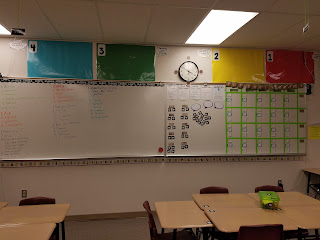
The large colored numbered posters are used for my scales for learning goals. I usually have 3 sets, for regular, supported, and advanced. I used Clock Minute Labels from TpT Store: Chalkboard Chatterbox and the Classroom Number line from TpT Store: GreatMinds123. My very own DOK Posters for Math. I also have my Daily Grind Board with list the daily assignments, homework assignments, reminders, and expectations.
I also have student classroom job and seat letters on magnets. The students loved the idea of rotating class jobs that include Instagram Photographer, Board Cleaner, Tweet Master, Office Manager, Errand Runner, Folder Manager, The Closers, Tech Assistant, and Teacher Assistant. I try to remember to rotate them daily. Next year that may become a new job.
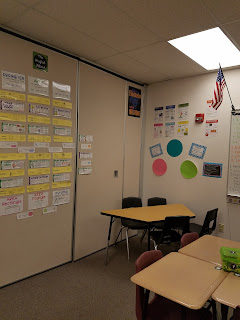
Since I have a fully flipped classroom and use blended learning practices in the classroom, I have a small group space to use during the "Work with Teacher" Station during rotations. In the small group corner you will find Math Practice Posters, Problem Solving Strategy Posters, and dry erase circles. Near by is the Word Wall named "The Perfect Blend" to tie into the Cafe theme of my classroom.The Community Board is where I display superior student work. With a 1 to 1 classroom, a lot of the displays are pictures of students' products, print offs from Schoology (our LMS), and pictures of students working.
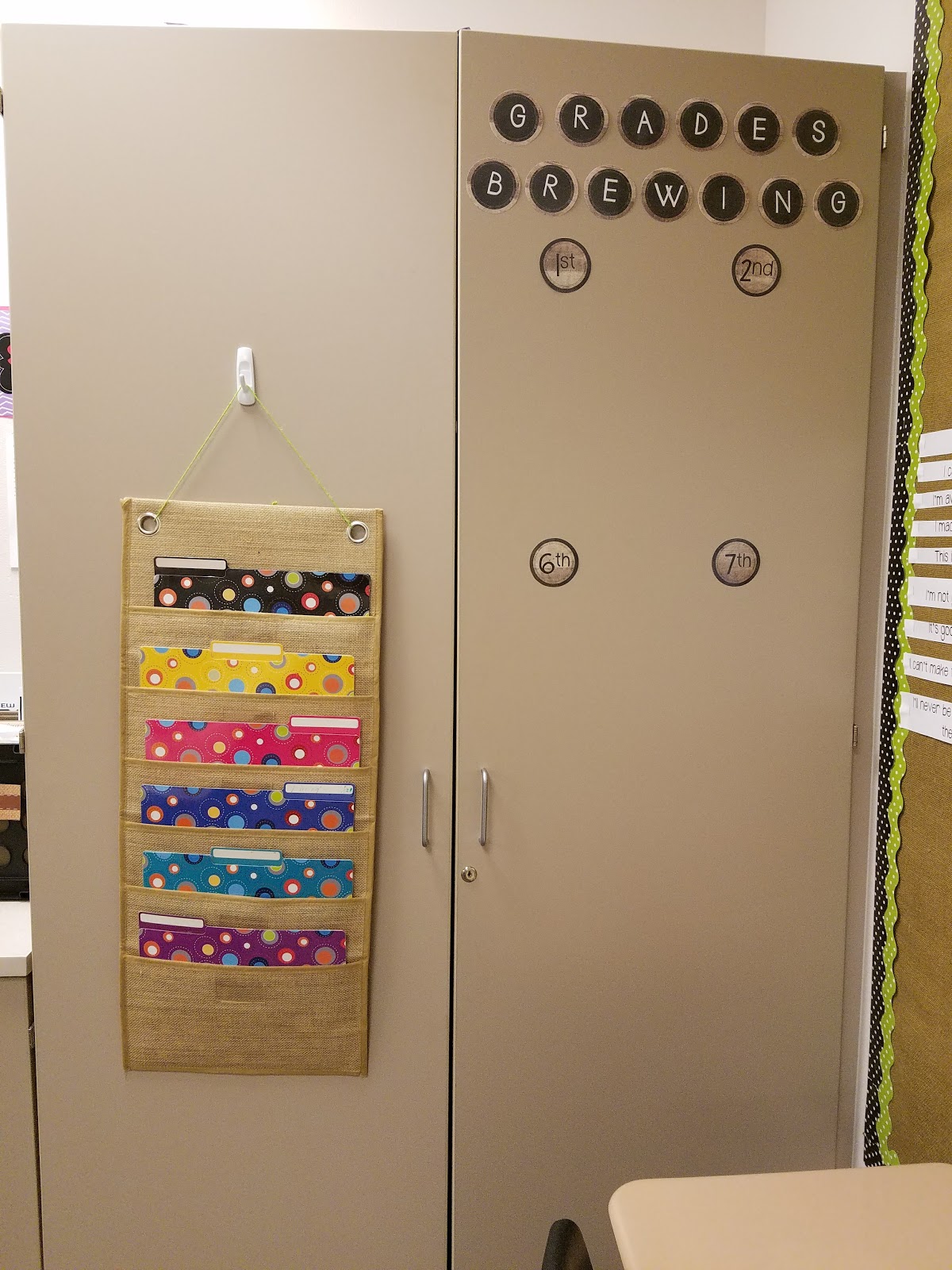
I utilized the doors of my storage cabinet to display grades and house work for absent students when we complete things on paper.
One of my favorite in-class displays is the growth mindset wall. I found a display on Pinterest, my happy place, and I copied it. I projected the brain on the board and traced it on a large piece of butcher board paper.
The "Barista Station" is my version of the students work center. Here students will find a class calendar, rulers, scratch paper, graph paper, cornell notes templates, no name clips, turn in trays, and a return crate that includes extra copies.
This is the notebook setup display. I actually refer to this several times weekly and used it during my lesson for setting up the Math notebooks. I used to borders purchase from Mardel and burlap material I found at Hobby Lobby. I also found inspiration for this board on Pinterest.
Here are the generic learning scales. I tend to use the generic learning scales to do quick check in during lessons.
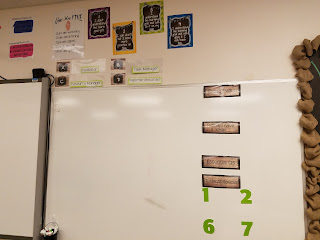
My front board has labels.
- Today I will...
- I will know I have it when...
- Essential Questions:
- Today's Specials
I color code each class period's information. You may also see a glimpse of the group roles which are assigned by seat letter and the "Give me 5" sign.
Having a 1 to 1 iPad classroom brings some advantages with passes and signing out or even keeping up with tardies. Students scan the code to sign out and they scan a different code when they are tardy to class. Students know that they are late if they enter the class after I shut the door. I greet students with a hand shake every period, every day.
Thank you for stopping by to check out my classroom this year. I'm already trying to decide what theme I could go with for the next school year. It's takes a lot of work but I find joy and pride in decorating my class each year. Leave you ideas below or links to your classroom tour.
Until next time,

Subscribe to:
Posts
(
Atom
)